Menu and campaign intelligence for restaurant chains

Plan, cost and launch restaurant campaigns in one workspace

A shared workspace for product development, campaign planning and commercialization.

Keep recipes, costs, prices, forecasts, approvals and campaign information connected, so every team can work from the same information.

One campaign. Too many disconnected files.

Recipes, ingredient costs, packaging, pricing, forecasts and launch plans often live in different places.

R&D, Marketing, Finance and Operations need the same information, but keeping everyone aligned becomes difficult as products change, campaigns develop and decisions are made. Connecting campaign assumptions with actual results adds another layer of complexity.

Follow the work from product to performance.

Build and cost your menu.

Maintain ingredients, recipes, products and combos in one place. See how ingredient and packaging costs affect the economics of each item, with costing by channel.
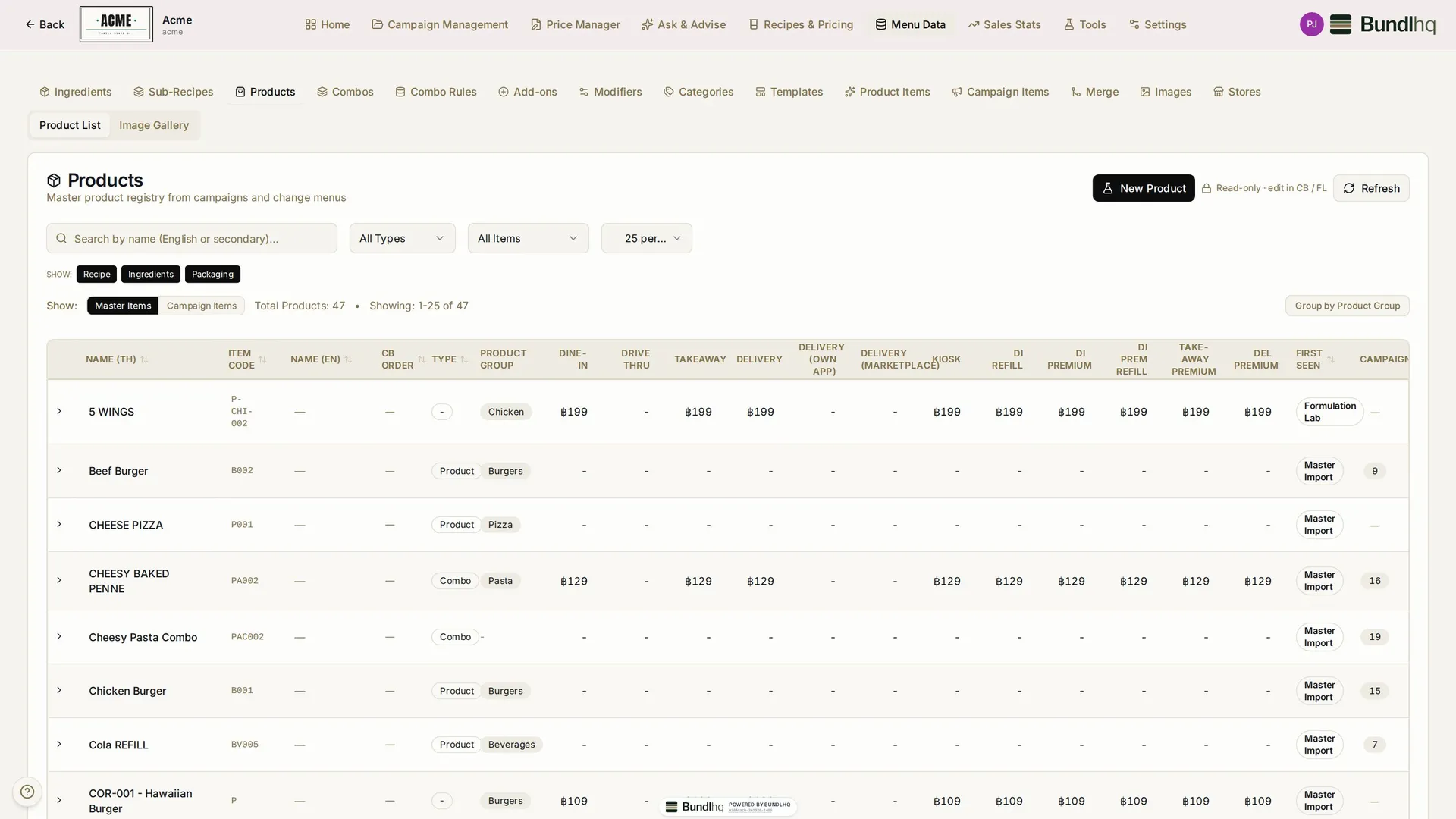
Product and ingredient records in BundlHQ

Explore pricing and combo options.

Compare prices and margins across channels, campaigns and combo versions. Understand how a different side, drink or selling price changes the commercial picture.
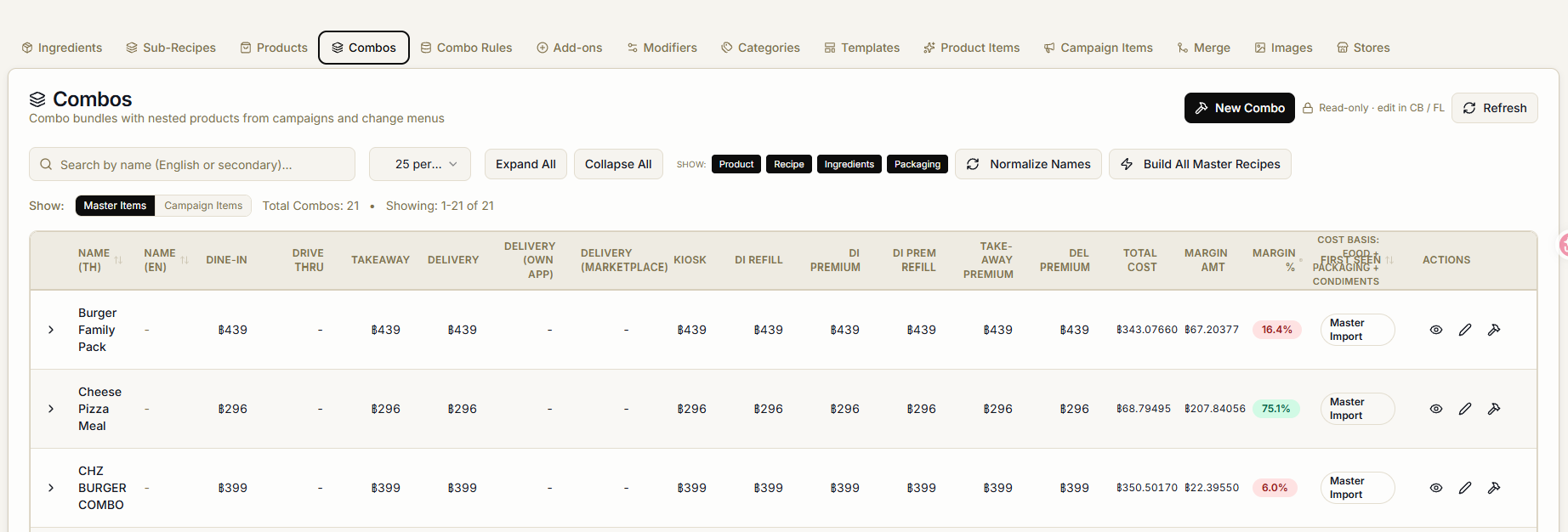
BundlHQ Combo Builder showing combo items, channel pricing, costs and margins

Prepare the business case.

Assemble campaign items, costs, planned uplift, expected revenue and margin in one record. Finance can review the proposal, set targets and approve or reject it. Keep the approved version alongside current calculations.
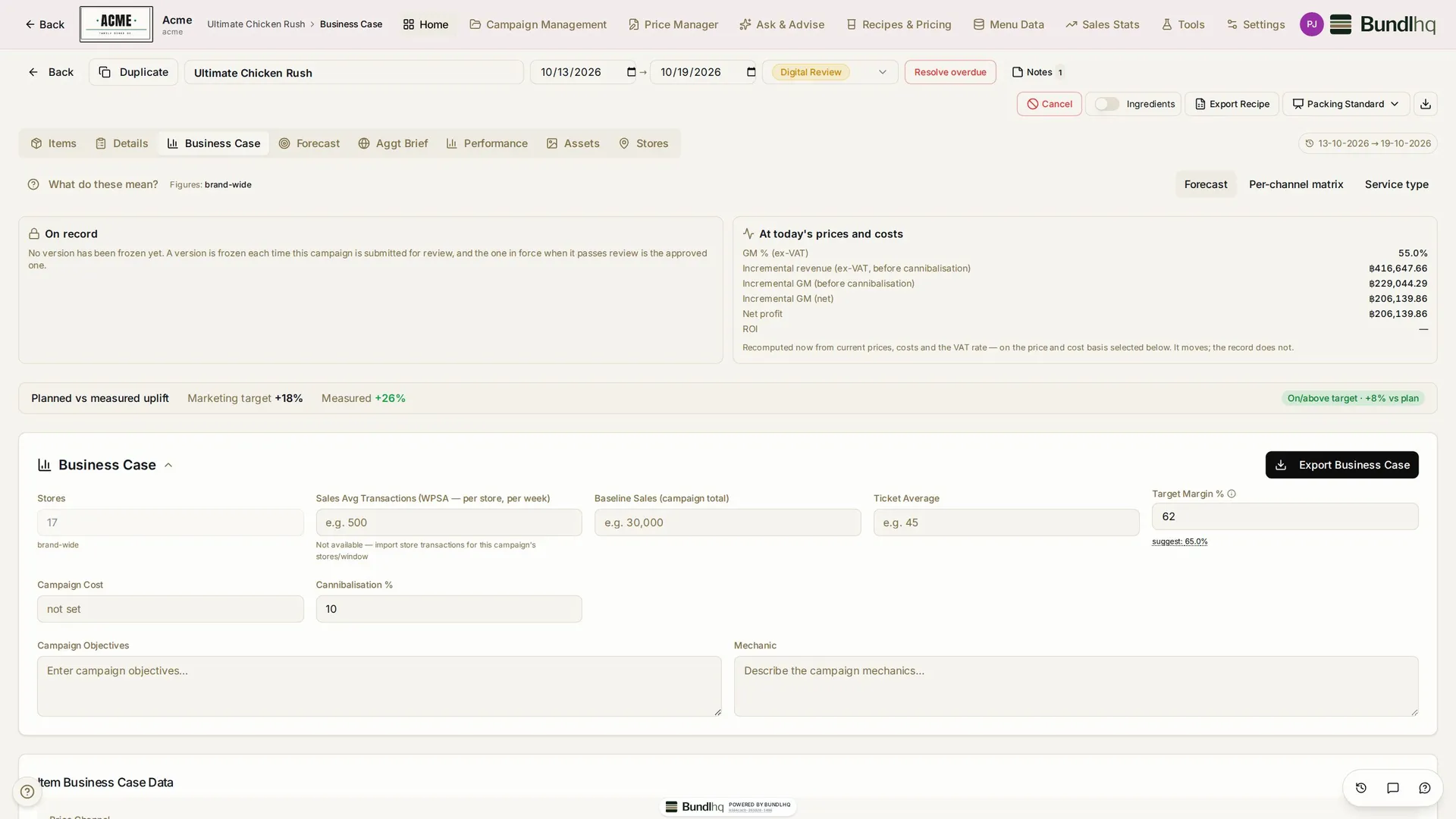
Campaign business case and approval figures

Create the briefs needed to launch.

Generate campaign summaries for internal teams, operators and franchisees, and prepare aggregator briefs from the campaign's product, modifier, date and pricing information. Export briefs for the channels and formats supported by your setup.
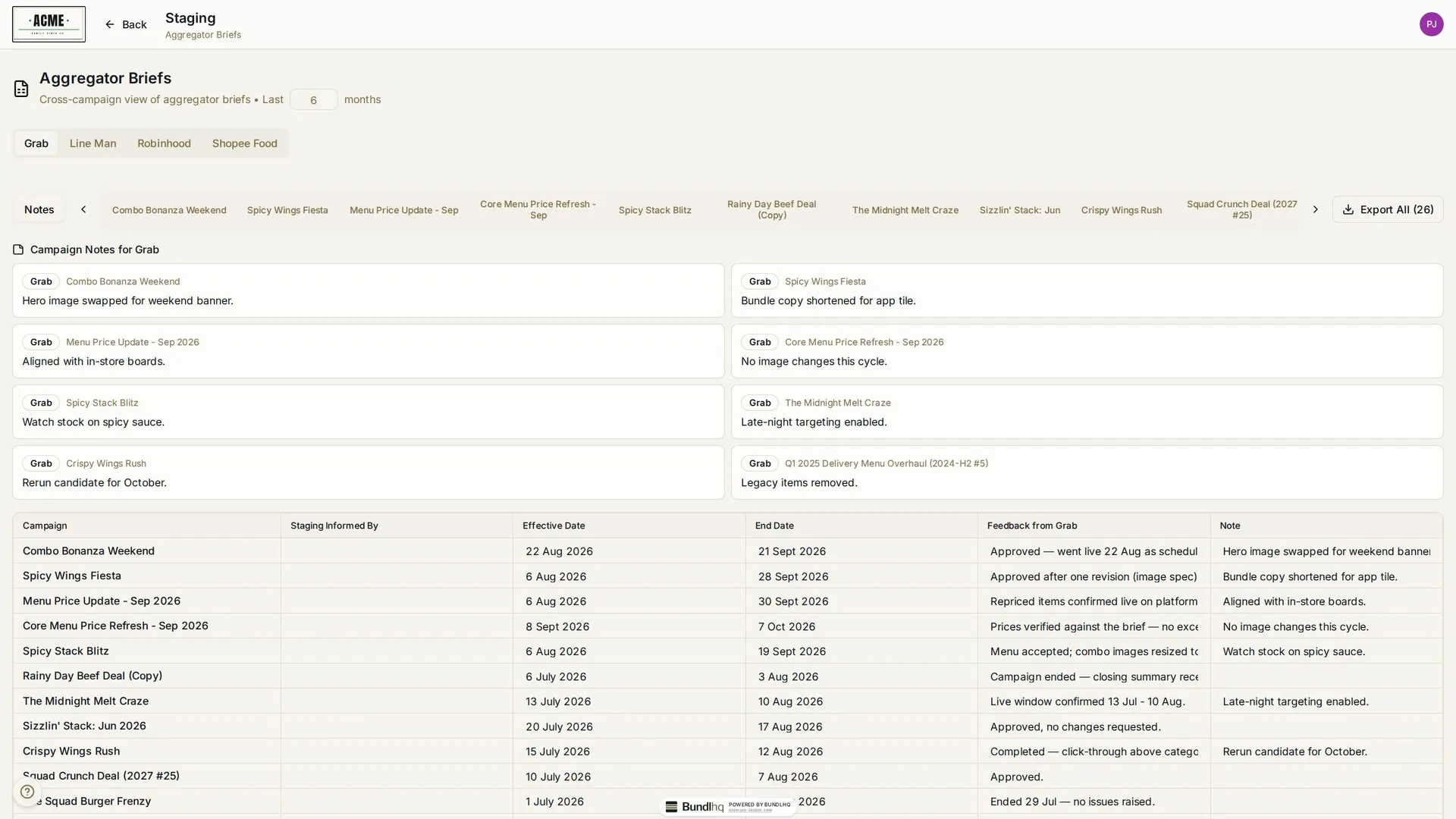
Aggregator brief generated from campaign information

Forecast demand and review results.

Translate campaign forecasts into ingredient requirements, then compare actual campaign performance with the plan and historical sales. Review incremental results, overlaps and other context before drawing conclusions.
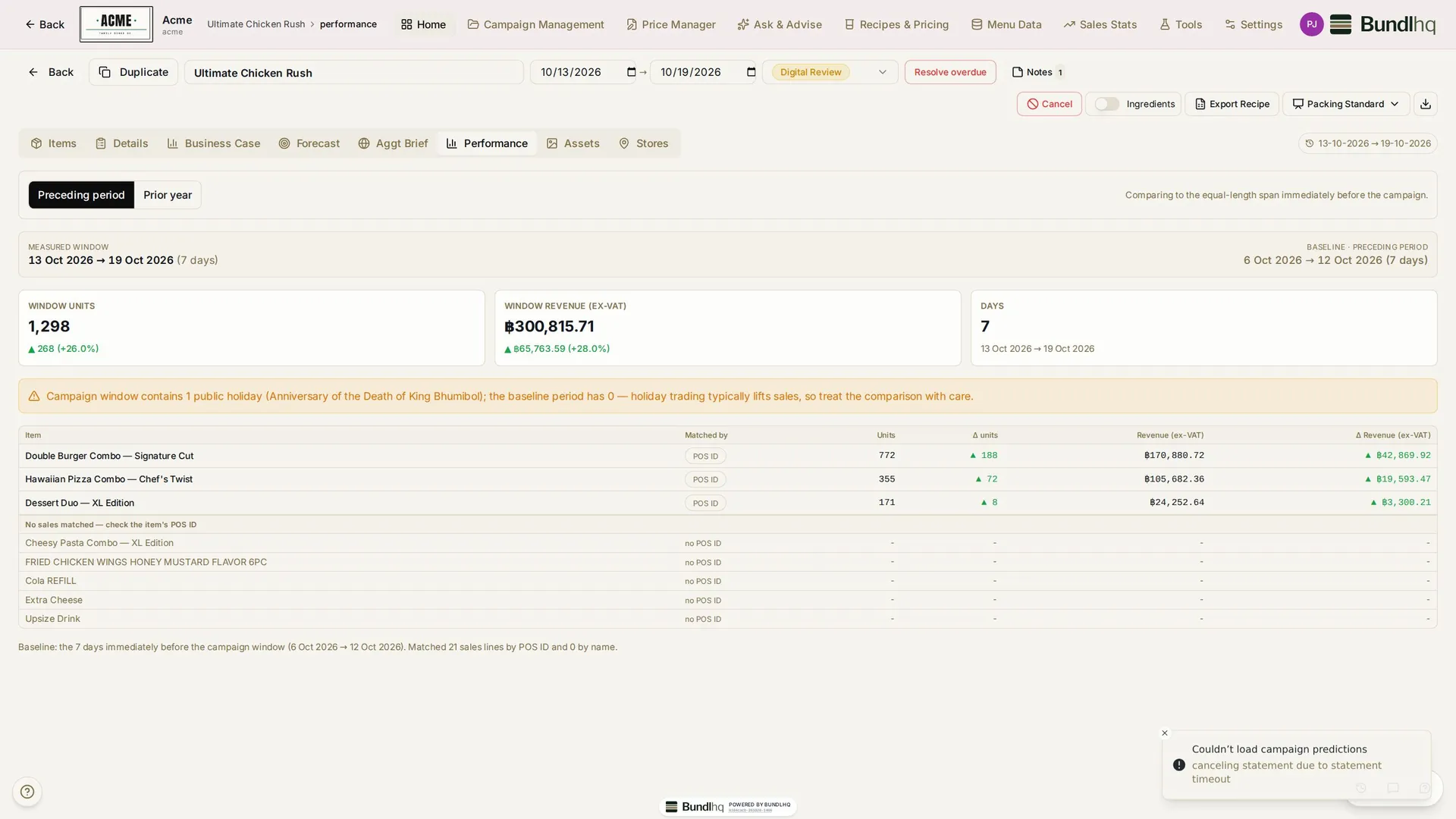
Campaign performance analysis in BundlHQ

Explore data with Ask & Advise.

Ask straightforward questions about products, prices, costs and sales. Advise helps compare past campaigns against selected commercial goals, explains the historical evidence and lets you start a new draft from a candidate.
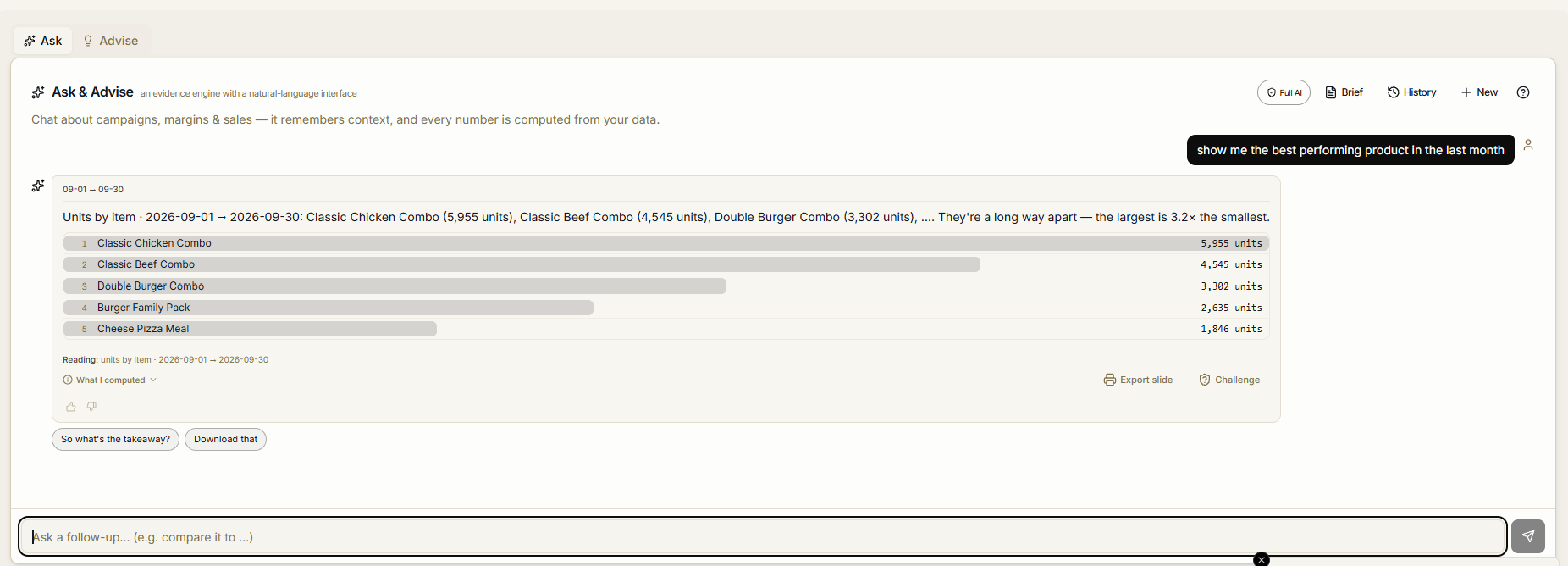
Ask & Advise displaying ranked product comparisons, sales figures and visualization

See the workflow in action.

Develop a recipe

Build and revise formulations while reviewing ingredient quantities and recipe costs.

Build a combo

Assemble products and packaging, then see channel costs and margins as the combination changes.

Create a campaign

Bring products and combos into a campaign and review the channel-specific commercial figures.

Explore product information

Ask a focused question about a product's price, cost or margin and inspect the calculated result.

Watch the product tour

Connected information for every stage.

Formulation and costing

Ingredient, recipe and packaging information behind product economics.

Price Manager and Combo Builder

Compare channel prices and evaluate alternative combo versions.

Campaign business cases

Commercial proposals, Finance review, targets and recorded approvals.

Campaign and aggregator briefs

Prepare information for approvals, operators and delivery partners.

Forecasting and supply

Connect planned sales volumes to ingredient requirements.

Performance analysis

Compare campaign outcomes, menu performance and historical sales.

Ask & Advise

Explore business data and compare historical campaigns against selected goals.

Multi-brand workspaces

Organize brand and market information in dedicated workspaces.

See BundlHQ with your team.

Walk through the menu and campaign workflows that matter to your business.

Book a demo